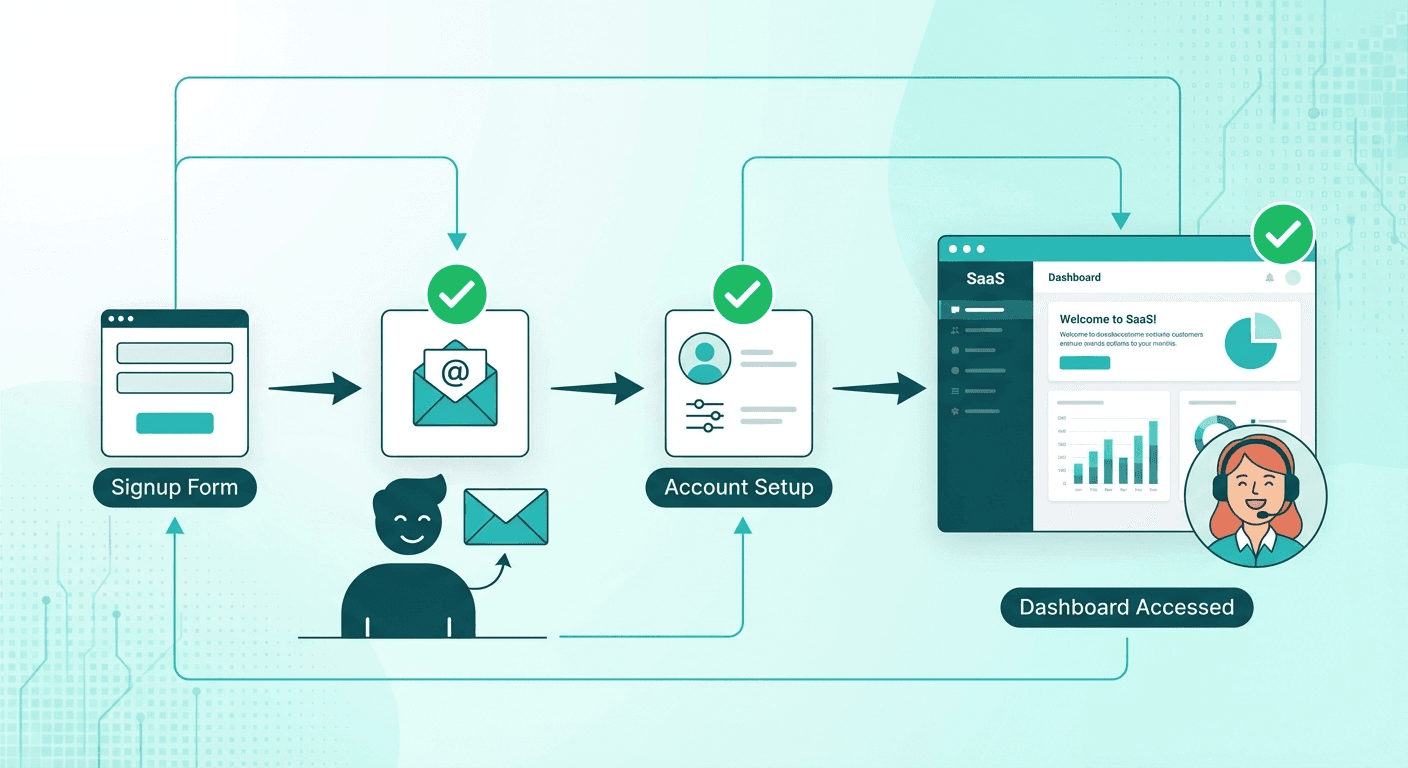
Why Onboarding Is the Highest-Leverage Moment
Wyzowl's research shows 86% of customers stay loyal when onboarding is done well — but 74% switch to a competitor if the process is too complicated. This isn't a product problem. It's an operational problem.
The cost of poor onboarding compounds quietly: a customer who never reaches their "aha moment" doesn't complain loudly. They just churn at day 30 or 60, taking their LTV with them.
For a typical B2B SaaS, onboarding one customer involves: 3–5 welcome and setup emails, 8–12-step account configuration checklist, internal handoff from Sales to Customer Success, and progress check-ins at day 1, 3, 7, 14, and 30.
At 20–30 new customers per month, that's 40–60 hours of repetitive work. Every month. Without end.
The Automated Onboarding Stack
| Layer | Tool | Role |
|---|
| Trigger | Stripe Webhook | Detect new subscription |
| Orchestration | n8n | Route and coordinate all flows |
| Email | SendGrid | Drip sequence delivery |
| Tasks | Linear / Notion | CS team action items |
| Tracking | Google Sheets | Progress dashboard |
| Alerts | Slack | Escalation and milestone alerts |
| Personalization | OpenAI | Dynamic email content |
Email Sequence Blueprint
Day 0 — Welcome + Quick Start
Triggered immediately when Stripe confirms payment. One clear next action. Video walkthrough under 3 minutes. Don't overwhelm — new customers need momentum, not a complete manual.
Day 1 — Progress Check
Personalized based on actual usage data: if the user has logged in → congratulate and introduce the next step. If not → "Did you get stuck? Here's how we can help." Don't send the same email to everyone.
Day 3 — Feature Spotlight #1
Highlight the feature your most successful users engage with first. A 2-minute demo video. Make it feel like a recommendation, not a tutorial.
Day 7 — Check-in + NPS Pulse
Short email, one question: "On a scale of 0–10, how likely are you to recommend us?" This is your earliest churn signal. Act on scores ≤ 6 immediately.
Day 14 — Power Tips + Team Invite
Share an advanced use case. The most critical CTA: invite teammates to the workspace. Multi-seat usage is the strongest retention signal in SaaS.
Day 30 — Review Call + Case Study
Invite a 30-minute review. Share a case study from a similar company. This is your upsell window — and your best time to ask for a testimonial.
Building the n8n Workflow Step by Step
Step 1: Stripe Webhook Trigger
Configure n8n to listen for customer.subscription.created. The payload gives you:
{
  "customer_id": "cus_xxx",
  "email": "[email protected]",
  "plan": "Growth",
  "metadata": { "company": "Startup Inc", "role": "CEO" }
}
Step 2: Enrich and Set Variables
Call the Stripe Customer API for full profile data. Set variables for all personalization tokens: {{first_name}}, {{company}}, {{plan}}, {{industry}}.
Step 3: Create CS Team Task
{
  "title": "Onboard: {{company}} ({{plan}})",
  "assignee": "cs_manager",
  "due_date": "today + 2 days",
  "priority": "high",
  "description": "New customer. Email: {{email}}. Monitor milestone completion through Day 7."
}
Step 4: Send Day 0 Email via SendGrid
Use a dynamic template. Adding just {{first_name}} and {{company}} puts you ahead of 70% of SaaS onboarding sequences. Make the single CTA achievable in under 10 minutes.
Step 5: Schedule the Drip Sequence
n8n's Wait node pauses the workflow for a specified duration before continuing: 24h → Day 1 email, 72h → Day 3, 168h → Day 7, and so on. The workflow runs in the background even after the initial trigger completes.
Tracking Activation Milestones Automatically
Define 3–5 key activation events specific to your product:
- First login → App event → n8n → update Sheets + Slack
- First integration connected → App event → n8n → update + Slack
- First workflow/action executed → App event → n8n → update + celebratory email
- Teammate invited → App event → n8n → update + Slack #milestone
- Billing method confirmed → Stripe webhook → n8n → update
When a milestone is hit, the workflow fires a context-appropriate email and updates the tracking dashboard automatically.
Escalation Logic: Catching At-Risk Customers Early
This is the most valuable part — proactive instead of reactive:
IF (Day 7) AND (Milestone 3 NOT achieved):
  → Send "Do you need help?" email (high personalization)
  → Create URGENT task for CS Manager
  → Post to Slack #onboarding-at-risk: "⚠️ {{company}} hasn't completed setup"

IF (Day 7 NPS score ≤ 6):
  → Create CRITICAL task for CS Director
  → Schedule call within 24 hours
  → Flag account as "at-risk" in CRM
The difference between proactive success management and reactive churn firefighting lives here.
Adding AI: Personalization at Scale
Instead of static email templates, use OpenAI to generate content tailored to each customer:
Prompt: "Based on the following customer profile:
- Company: {{company}} in the {{industry}} industry
- Plan: {{plan}}
- Use case described: {{use_case}}

Write the Day 3 onboarding email (Feature Spotlight) emphasizing
the feature most relevant to {{industry}}.
Tone: professional but warm. Under 150 words."
This is what separates "felt personal" from "obviously automated."
Results
Companies that automate customer onboarding consistently report:
- 25–40% higher activation rates (users completing key setup steps)
- 15–25% reduction in 30-day churn
- 10–15 hours/week saved for the CS team
- 3× faster detection and response to at-risk customers
Start with n8n startup automation fundamentals, then connect the lead scoring pipeline to get a complete view — from first touchpoint to successful activation.