Most AI chatbots hit a wall the moment you need something outside their built-in feature set. Want to connect to your internal database? Waiting on a feature update. Need the bot to understand your company's specific workflow? Sorry, not supported.
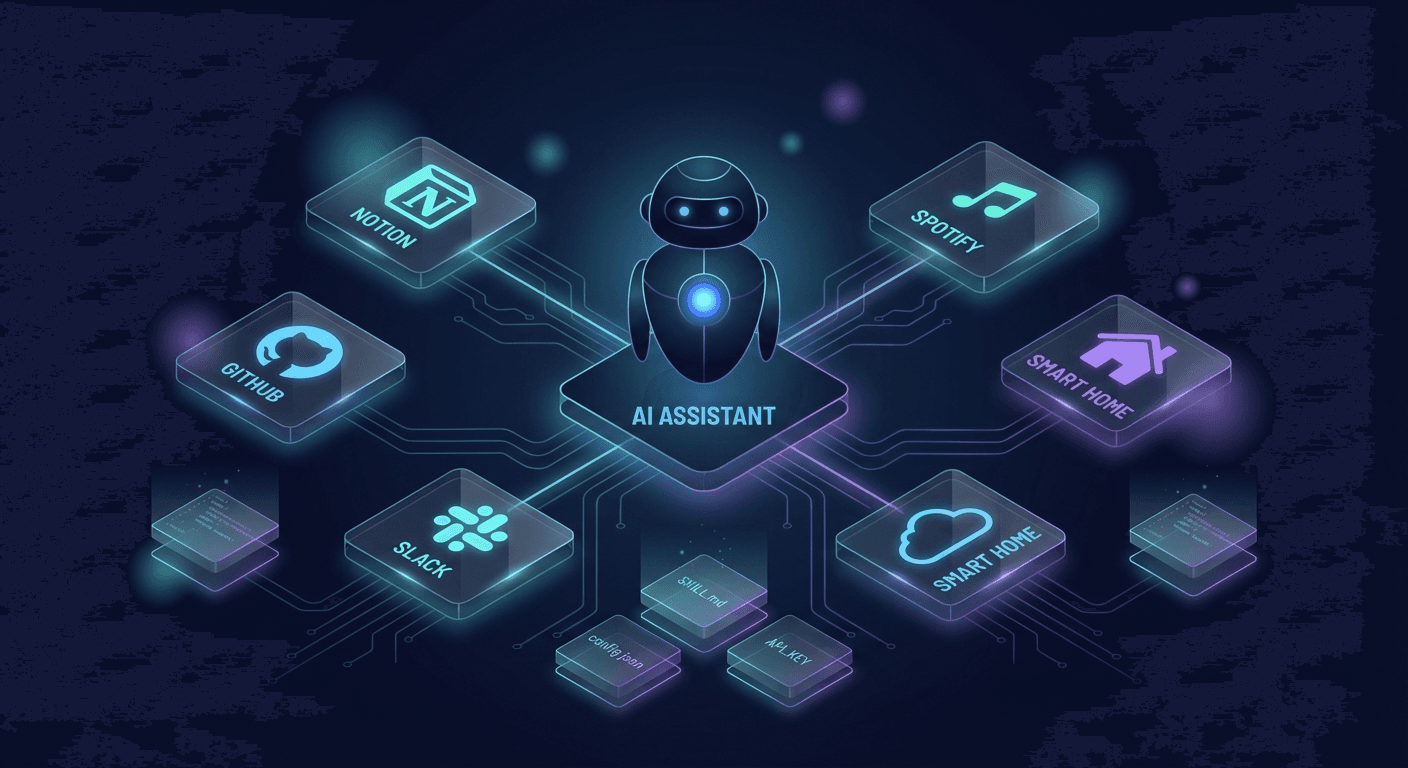
Clawdbot approaches this differently. Instead of shipping a fixed feature set, it ships a framework for extending itself — called Skills.
What Are Skills?
Skills are modular, self-contained packages that expand what Clawdbot can do. Each skill gives the bot:
- Specialized workflows — step-by-step procedures for specific tasks
- Tool integrations — instructions for working with APIs, files, or external services
- Domain expertise — company schemas, business logic, internal knowledge
- Bundled resources — Python/Bash scripts, templates, and assets ready to use
Think of a Skill as an "onboarding guide" for the bot. Instead of retraining it from scratch, you hand it a structured document that tells it exactly how to handle a specific class of problems.
Why Skills Are the Most Valuable Feature
This isn't a "nice to have" add-on. It's the core design philosophy of Clawdbot.
Instead of you adapting to the bot, the bot adapts to you.
Running logistics? Build a skill that reads order data from your internal system. Managing a marketing team? Create a skill that pulls metrics and answers questions in plain language. Need the bot to process PDFs, post Slack updates, commit code to GitHub, or control your office's Philips Hue lights? All of that is possible.
You're not constrained by a vendor's feature roadmap. This is precisely why agentic workflows are replacing traditional automation — and Skills are what make that real for every individual user.
How It Works: Simpler Than You Think
Every skill follows a minimal structure:
my-skill/
├── SKILL.md        ← Required — the brain of the skill
├── scripts/        ← Executable code (optional)
├── references/     ← Reference docs (optional)
└── assets/         ← Templates, icons, output files (optional)
SKILL.md is the core. It contains a description (so the bot knows when to use the skill) and instructions (so the bot knows what to do). When you ask something that matches a skill's domain, the bot automatically reads the SKILL.md and follows the defined workflow.
The system uses a Progressive Disclosure model — three loading tiers:
- Metadata (~100 words) stays in context always
- SKILL.md body loads when the skill is triggered
- Scripts and assets are only accessed when explicitly needed
The result: high performance without bloating the context window. This also connects to why Human-in-the-Loop control matters — Skills help the bot act correctly without requiring manual oversight at every step.
You don't have to build everything yourself. ClawdHub is where the community discovers, shares, and publishes skills.
There are already 50+ public skills available:
| Category | Available Skills |
|---|
| Productivity | Notion, Obsidian, Things (Mac), Trello |
| Communication | Slack, Discord, iMessage, WhatsApp |
| Dev tools | GitHub, tmux, coding-agent |
| Creative | Spotify, Gemini, OpenAI image generation |
| System | Weather, 1Password, Philips Hue smart lighting |
Install with one command:
npm i -g clawdhub
clawdhub install notion
clawdhub install slack
Search before building from scratch:
clawdhub search "postgres backups"
Built something useful? Publish it back to the community:
clawdhub publish ./my-skill --slug my-skill --name "My Skill" --version 1.0.0
Start Building Your Automation Empire
Skills aren't just a technical feature — they're an invitation to become the architect of your own automation system.
You don't need to be a hardcore developer to get started. The skill structure is simple enough that anyone comfortable with Markdown can create a working skill. If you want to go deeper — add Python scripts, integrate APIs, build complex pipelines — Clawdbot and ClawdHub are ready.
Start with the complete Clawdbot setup guide, then run clawdhub list to explore what the community has already built.
The only question is: What do you want your bot to do?