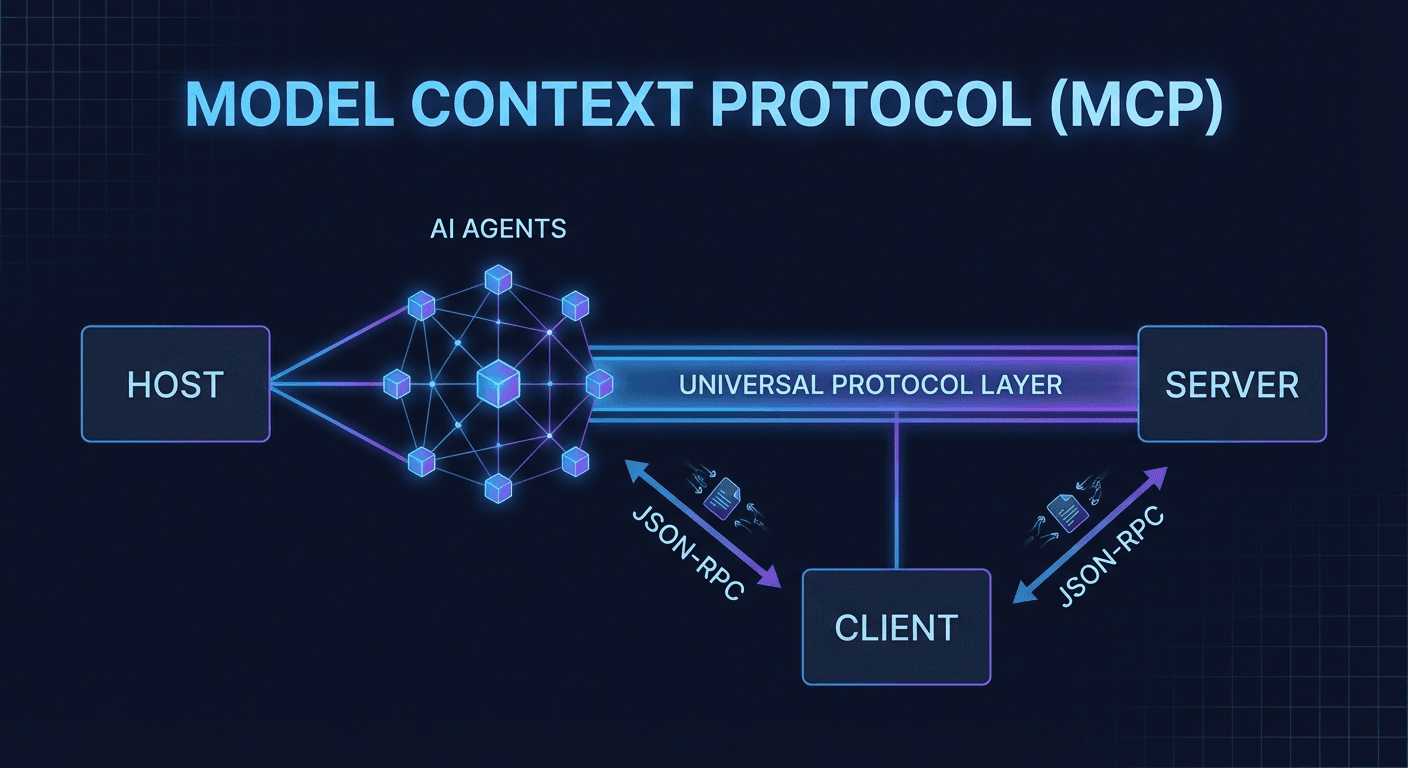
MCP (Model Context Protocol) là open protocol chuẩn hóa cách AI Agent kết nối với tools và data — viết một lần, chạy với mọi AI model. Bài viết giải thích kiến trúc Host/Client/Server, so sánh với Function Calling, demo thực tế trên Autonow CMS, và hướng dẫn build MCP server trong 30 phút.
MCP không phải là một API mới. Nó là ngôn ngữ chung — để AI Agent hiểu và nói chuyện với bất kỳ hệ thống nào, mà không cần viết lại integration từ đầu mỗi lần đổi model.
Nếu bạn đã từng phải viết custom function calling schema cho OpenAI, rồi lại viết lại cho Claude, rồi lại một lần nữa cho Gemini — bạn đang gặp đúng vấn đề mà MCP sinh ra để giải quyết.
1. MCP Là Gì? Tại Sao Quan Trọng Hơn REST/GraphQL Cho AI Agent
Model Context Protocol (MCP) là open protocol do Anthropic phát triển và công bố vào tháng 11/2024, được thiết kế để chuẩn hóa cách các AI model kết nối với dữ liệu và công cụ bên ngoài.
Hãy nghĩ về MCP như HTTP của AI Agent world: HTTP không quan tâm browser nào bạn dùng hay server nào đang chạy — nó là tầng giao tiếp trung lập. MCP làm điều tương tự: tạo cầu nối tiêu chuẩn giữa AI model và thế giới bên ngoài.
Vấn đề trước khi có MCP
Trước MCP, mỗi AI integration là một ốc đảo riêng biệt:
Tình huống
Hậu quả
Dùng Claude với GitHub → chuyển sang GPT-4o
Viết lại toàn bộ tool schema theo format OpenAI
Thêm Gemini vào workflow
Viết lại lần thứ 3 theo format riêng của Google
Đổi data source (PostgreSQL → MongoDB)
Update từng AI integration một cách thủ công
Dùng 3 AI model song song
3x maintenance burden, 3x bug surface
Kết quả: 80% thời gian AI Agent project tiêu tốn vào integration plumbing, không phải vào business logic thực sự.
MCP giải quyết như thế nào?
MCP tách biệt rõ ràng hai phía:
MCP Server: Bạn định nghĩa khả năng (tools, resources) — viết một lần
MCP Host/Client: AI application (Claude Desktop, Cursor, VS Code...) — tự động hiểu server của bạn
Một MCP server viết đúng chuẩn hoạt động ngay với mọi AI application hỗ trợ MCP. Không cần sửa gì thêm khi đổi model hay đổi AI host.
2. Kiến Trúc MCP: Host, Client, Server
Kiến trúc MCP gồm 3 thành phần chính hoạt động phối hợp với nhau:
Chỉ hoạt động với OpenAI API. Muốn chuyển sang Claude? Phải viết lại từ đầu theo format khác.
Tool Use (Anthropic/Claude style)
{"tools":[{"name":"get_weather","description":"Get current weather","input_schema":{"type":"object","properties":{"location":{"type":"string","description":"City name"}},"required":["location"]}}]}
Tốt hơn về description support, nhưng vẫn là vendor-specific — chỉ chạy với Anthropic API.
MCP Tool (Universal)
@mcp.tool()defget_weather(location: str) -> str:
"""Get current weather for a location."""return fetch_weather_api(location)
MCP tự động generate JSON schema từ Python type hints và docstring. Một lần viết, chạy với mọi AI host hỗ trợ MCP.
Bảng So Sánh Tổng Hợp
Tiêu chí
Function Calling
Tool Use
MCP
Vendor lock-in
Cao (OpenAI)
Cao (Anthropic)
Không có
Auto tool discovery
✗
✗
✓
Resources/Files support
✗
✗
✓
Reusable prompt templates
✗
✗
✓
Multi-server native
Phức tạp
Phức tạp
Native
Full streaming support
Hạn chế
Hạn chế
✓
Growing ecosystem
Lớn
Trung bình
Đang bùng nổ
4. Demo Thực Tế: Autonow CMS Vận Hành Bằng MCP
Bài viết bạn đang đọc được tạo và publish thông qua MCP — không phải ẩn dụ, đây là hệ thống thực tế đang chạy tại Autonow.
Kiến Trúc Autonow CMS + MCP
Claude Code CLI (MCP Host)
         │
         │  MCP Protocol (stdio)
         ▼
autonow-cms MCP Server
         │
         ├── list_articles()         → Truy vấn database
         ├── create_article()        → Tạo bài viết mới
         ├── update_article()        → Cập nhật nội dung
         ├── generate_seo_metadata() → Tạo SEO tự động
         ├── upload_image()          → Upload lên R2/CDN
         └── publish_article()       → Live trên production
Workflow Thực Tế
Bước 1 — Editor (con người) nói chuyện với Claude Code:
"Viết bài về MCP protocol, tạo ảnh bìa, publish lên blog cả VI lẫn EN"
Bước 2 — Claude Code tự gọi MCP tools theo thứ tự hợp lý:
# Python (khuyến nghị cho người mới)
pip install mcp fastmcp

# Node.js / TypeScript
npm install @modelcontextprotocol/sdk zod
MCP Server Với Python (FastMCP — Nhanh Nhất)
# server.pyfrom mcp.server.fastmcp import FastMCP
import httpx
mcp = FastMCP("my-server")
# Tool: AI có thể gọi để thực hiện hành động@mcp.tool()defsearch_articles(query: str, limit: int = 10) -> list[dict]:
"""
Search articles in the database.
Args:
query: Search query string
limit: Max number of results (default: 10)
"""
results = db.search(query, limit=limit)
return [{"id": r.id, "title": r.title, "url": r.url} for r in results]
@mcp.tool()defcreate_task(title: str, priority: str = "medium") -> dict:
"""
Create a new task.
Args:
title: Task title
priority: low | medium | high (default: medium)
"""
task = db.tasks.create(title=title, priority=priority)
return {"id": task.id, "status": "created"}
# Resource: Dữ liệu AI có thể đọc (read-only)@mcp.resource("config://app-settings")defget_settings() -> str:
"""Get application configuration"""return"version: 1.0\nenvironment: production"# Prompt: Template tái sử dụng@mcp.prompt()defsummarize(content: str) -> str:
"""Summarize content in 3 bullet points"""returnf"Tóm tắt bài viết sau trong 3 điểm chính:\n\n{content}"if __name__ == "__main__":
mcp.run() # Chạy qua stdio (default)
MCP Server Với TypeScript
import { McpServer } from"@modelcontextprotocol/sdk/server/mcp.js";
import { StdioServerTransport } from"@modelcontextprotocol/sdk/server/stdio.js";
import { z } from"zod";
const server = newMcpServer({ name: "my-ts-server", version: "1.0.0" });
server.tool(
"create_task",
"Create a new task in the project management system",
{
title: z.string().describe("Task title"),
priority: z.enum(["low", "medium", "high"]).default("medium"),
due_date: z.string().optional().describe("ISO date string, e.g. 2026-03-01"),
},
async ({ title, priority, due_date }) => {
const task = await db.tasks.create({ title, priority, due_date });
return {
content: [{ type: "text", text: `Task created with ID: ${task.id}` }],
};
}
);
const transport = newStdioServerTransport();
await server.connect(transport);
Đăng Ký Với Claude Code CLI
# Thêm server local
claude mcp add my-server python /path/to/server.py

# Thêm với environment variables
claude mcp add my-server \
  --env DB_URL=postgres://localhost/mydb \
  --env API_KEY=sk-xxx \
  python /path/to/server.py

# Kiểm tra danh sách
claude mcp list
MCP giải quyết một vấn đề thực sự và phổ biến: fragmentation trong AI tooling. Mỗi model, mỗi provider, mỗi framework đều có cách riêng để kết nối với external tools. MCP đặt cược rằng chuẩn hóa sẽ thắng — và lịch sử tech (HTTP, USB-C, JSON, OpenAPI) cho thấy cược này thường đúng.
Đặc biệt, khi ngày càng nhiều AI applications adopt MCP, hiệu ứng network càng mạnh: mỗi MCP server bạn build hôm nay sẽ tự động tương thích với hàng chục AI tools trong tương lai — không cần update gì thêm.
Nếu bạn đang build AI Agent trong 2026:
✅ Học MCP trước khi học bất kỳ framework-specific tool integration nào
✅ Build MCP servers thay vì custom REST API cho AI workflow
✅ Đóng góp vào ecosystem — cơ hội vẫn còn rất lớn, community còn nhỏ
Autonow đã migrate toàn bộ CMS integration sang MCP — và chúng tôi không hề nhìn lại.