Multi-Agent Systems: When You Need More Than One AI
Practical decision framework for single-agent vs multi-agent architectures — with LangGraph, AutoGen, and real cost analysis.
At a Glance
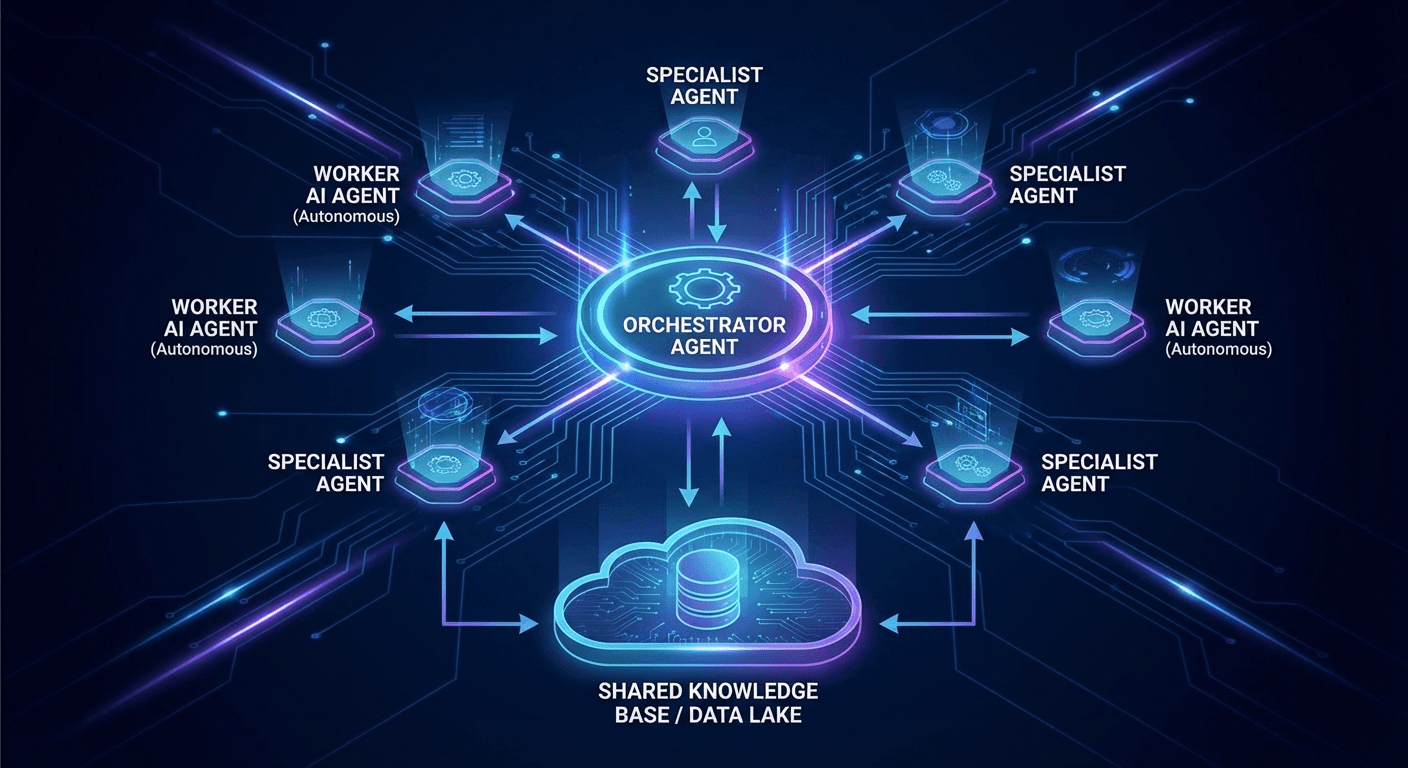
Updated 98 days agoUse a single agent when tasks are sequential and context fits in one window. Switch to multi-agent when you need parallel specialization, failure isolation, or different models for different tasks — and can absorb 3-5x token costs.
The Default: Start with One Agent
Before discussing multi-agent systems, let's be clear: most businesses don't need them. A single well-designed agent with the right tools handles 80% of real-world use cases.
Multi-agent isn't "more powerful AI" — it's more complex architecture with higher costs and latency. Only move there when you have a concrete reason.
When Single Agent Is Enough
A single agent works well when tasks fit within one context window, processing is sequential, your team is small and can't maintain multiple agents, or token budget is constrained.
A customer support agent with 15 tools (order lookup, refund processing, account updates) can run perfectly well as a single agent — no added complexity needed.
4 Signs You Actually Need Multi-Agent
1. Domain Specialization
A generalist agent handling code review, legal analysis, and marketing copy in the same workflow will underperform three specialized agents. When the optimal system prompt, toolset, and even model differ significantly between tasks — that's your signal to split.
Real example: a contract analysis pipeline needs a legal agent (fine-tuned GPT-4), a clause extraction agent (structured outputs), and a risk summary agent. Three domains, three completely different configurations.
2. True Parallel Processing
Consider a market research pipeline that needs data from 5 different sources. Single agent: 5 minutes sequential. Multi-agent with 5 parallel workers: ~1 minute. When the bottleneck is I/O and API calls, parallel agents genuinely reduce latency.
3. Failure Isolation
In a complex workflow, if your analysis agent hits a timeout, you don't want to lose all the output from your report-writing agent that's still running. Multi-agent architectures let you retry individual components, checkpoint state, and resume from failure points without restarting the entire pipeline.
4. Context Window Limits
If input + tool results + conversation history exceeds 128K–200K tokens, you need to split. Each agent only receives the context relevant to its specific task — no need to carry full history everywhere.
Popular Frameworks
LangGraph
LangGraph builds on stateful directed graphs: your workflow is a directed graph, each node is an agent or function, edges define execution flow.
from langgraph.graph import StateGraph, END

workflow = StateGraph(AgentState)
workflow.add_node("researcher", research_agent)
workflow.add_node("writer", writer_agent)
workflow.add_node(, review_agent)

workflow.add_edge(, )
workflow.add_conditional_edges(
    ,
    should_review,
    {: , : END}
)
Comments (0)
Loading comments...
Stay Updated
Get weekly insights on AI, automation, and shipping fast. Join 500+ founders.
Related Articles

What Is an AI Agent? A Complete Guide for Business Leaders and Non-Technical People
AI Agents aren't just smarter chatbots — they're digital employees that can think, plan, and act to achieve goals. This guide explains everything you need to know, even if you've never written a line of code.

OpenClaw 2026: 190K GitHub Stars, Moltbook, and Enterprise Security Warnings
190K GitHub stars, 1.5M user-created agents, the world's first AI social network — and three security vulnerabilities enterprises need to patch now.

CLI Authentication: When the Command Line Becomes Your AI Power Key
CLI Auth isn't just convenient — it's the mindset shift from 'using AI like a web app' to 'working alongside AI in an integrated environment'. Hands-on guide: claude login, setup-token, handling 401 errors, and protecting tokens on your local machine.