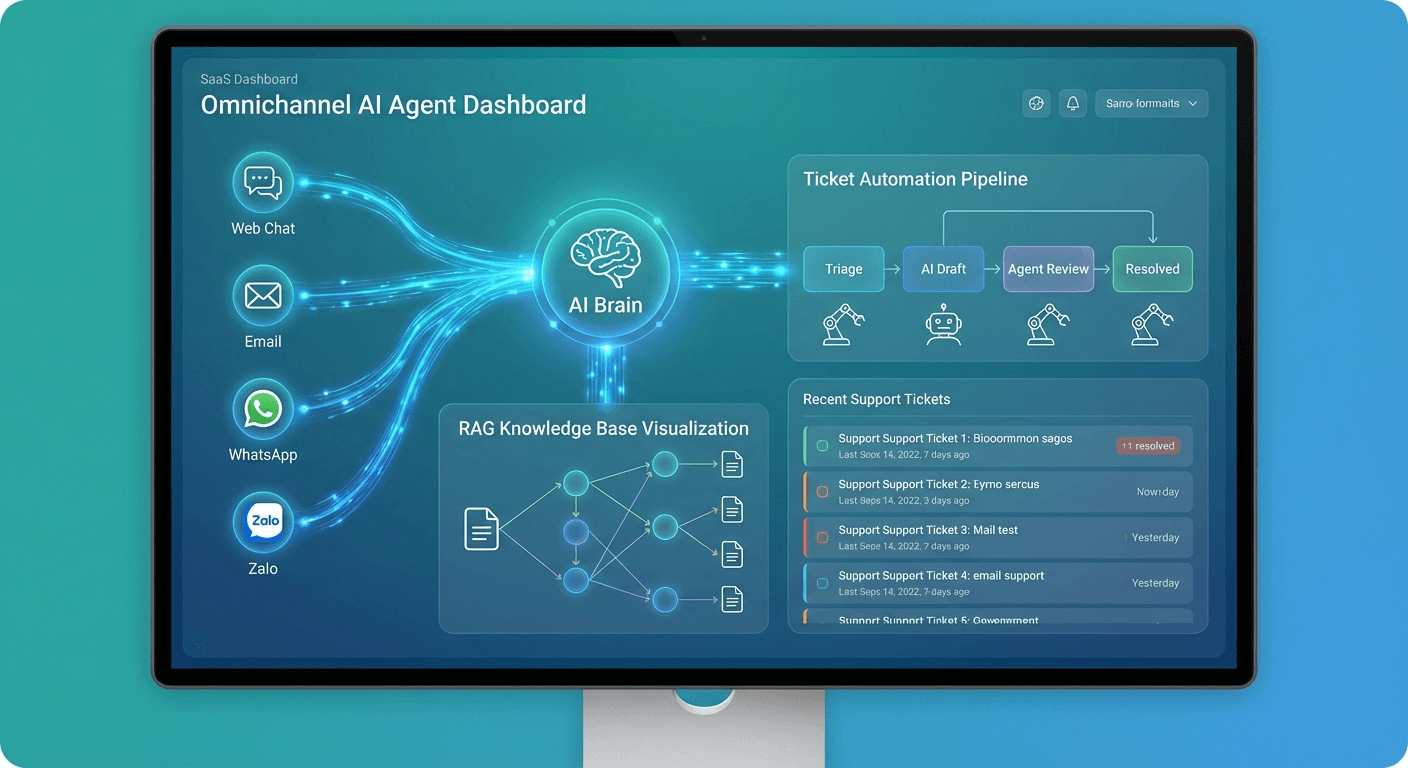
Why Most AI Support Bots Fail
Most companies bolt a chatbot onto their help center and call it AI customer support. Customers get canned responses, loop endlessly, and churn faster than before. A real AI support agent is different — not just in model capability, but in architecture.
This guide covers building a true omnichannel support agent: automated ticket handling, RAG-powered knowledge retrieval, and integration across every customer touchpoint.
Omnichannel Architecture: One Agent, Every Channel
Omnichannel doesn't mean deploying separate chatbots on each platform. It means a central orchestration layer connecting all customer touchpoints to one agent core.
Web Chat ──────────▶ ┌─────────────────┐
Email ─────────────▶ │  Channel Router │──▶ Support Agent Core
WhatsApp ──────────▶ │  (Normalization)│
Telegram ──────────▶ └─────────────────┘──▶ CRM / Ticketing
Facebook Messenger ▶
The Channel Router normalizes messages from all channels into a unified format before hitting the agent. Agent outputs are reformatted per channel constraints: WhatsApp supports rich media, SMS has character limits, email needs proper HTML.
Cross-Channel Session Memory
A customer starts chatting on web, then emails for follow-up — the agent needs to remember context. Use user_id (email or phone) as session key, store conversation history in Redis with 24–48h TTL. Every channel reads and writes to the same session store.
RAG: The Foundation for Accurate Answers
RAG (Retrieval-Augmented Generation) is the difference between an agent that answers correctly and one that confidently makes things up.
Knowledge Base Design
Classify documents before indexing:
| Document Type | Chunk Size | Update Frequency |
|---|
| FAQs | 200–300 tokens | Weekly |
| Product guides | 500–600 tokens | Per release |
| Policies | 400–500 tokens | As changed |
| Changelogs | 300–400 tokens | Per release |
Store metadata per chunk: product, version, language, last_updated, category. Use metadata filters during retrieval to prevent answers based on outdated docs.
Retrieval Pipeline
def retrieve_context(query: str, user_context: dict) -> list[Document]:
query_embedding = embed_model.encode(query)
filters = {
"product": user_context.get("product"),
"language": user_context.get("language", "en"),
}
results = vector_db.search(
query_embedding,
filters=filters,
top_k=5,
rerank=True
)
return results
Hybrid search outperforms pure vector search, especially for product names and specific error codes. Cross-encoder reranking (e.g., ms-marco-MiniLM) significantly improves precision beyond cosine similarity alone.
Ticket Automation: End-to-End
Automatic Classification and Priority
The moment a ticket arrives, the agent classifies it:
{
  "category": "billing_dispute",
  "priority": "high",
  "sentiment": "frustrated",
  "requires_human": true,
  "estimated_resolution": "need_account_access"
}
Priority calculation factors: sentiment score, keywords (refund, complaint, legal), customer tier (premium/standard), and the user's escalation history.
Automated Ticket Flow
Ticket arrives → Agent classifies
  → RAG search (knowledge base + similar past tickets)
  → Execute action if needed (check order, reissue license)
  → Send response with source citation
  → Update ticket status + CRM
  → Capture satisfaction signal (thumbs up/down)
Tickets the agent can't resolve → escalate with full context to a human agent.
The agent doesn't just answer — it executes:
[
  {"name": "check_order_status", "params": {"order_id": "string"}},
  {"name": "process_refund", "params": {"order_id": "string", "amount": "number", "reason": "string"}},
  {"name": "reset_password", "params": {"user_email": "string"}},
  {"name": "update_subscription", "params": {"user_id": "string", "plan": "string"}},
Each tool requires permission checks before execution. Refunds above a defined threshold need human approval. Password resets require OTP verification first.
Smart Escalation: Knowing When to Stop
Escalation isn't failure — it's a feature. A good agent knows its limits.
Escalate when:
- Confidence score < 0.6 after RAG retrieval
- Sentiment analysis detects high frustration (> 0.7)
- Ticket involves legal disputes or large refunds
- Agent has looped twice without resolution
- Customer explicitly requests a human
When escalating, pass full context to the human agent: conversation history, classification, solutions attempted, and sentiment timeline.
Metrics That Matter
| Metric | Target | Frequency |
|---|
| Autonomous resolution rate | > 70% | Daily |
| First response time | < 30 seconds | Real-time |
| CSAT score | > 4.2/5 | Weekly |
| Escalation rate | < 25% | Daily |
| RAG accuracy | > 85% | Weekly |
| False positive actions | < 1% | Daily |
Track per-channel and per-category separately. Email support typically shows higher CSAT than chat since customers don't expect instant replies.
Recommended Stack
For teams getting started:
- LLM: Claude 3.5 Sonnet (cost/quality balance) or GPT-4o
- Vector DB: Qdrant (self-hosted) or Pinecone (managed)
- Embeddings: text-embedding-3-small or BGE-M3 (multilingual)
- Session store: Redis with TTL
- Ticketing: Freshdesk, Zendesk, or custom integration
- Observability: LangSmith or Langfuse for distributed traces
Start with one channel (web chat), measure metrics for 2–4 weeks, then expand. Each new channel adds ~15% complexity to the routing layer.
See Human-in-the-Loop AI Agents for designing effective escalation flows, and MCP Protocol for standardizing tool integration across your agent stack.